 Quadrastack
Docs
VS Code Extension
Run API tests, manage mock servers, and write playbooks with the Quadrastack VS Code extension
VS Code Extension
The Quadrastack VS Code extension lets you run API tests, manage mock servers, and write playbooks directly from your editor.
Key Features
- Run Requests - Execute requests directly from YAML files and see results instantly
- Run Scenarios - Run test scenarios with a single click
- Mock Servers - Start, stop, and monitor mock servers from the sidebar
- Playbook Configuration - Configure playbook directories per workspace
Quick Start
1. Install the Extension
Install from VS Code Marketplace
Or search for "Quadrastack" in the VS Code Extensions panel (Ctrl+Shift+X or Cmd+Shift+X) and click Install.
2. Set Your Playbook Directory
Right-click on any folder in the Explorer and select Set as Playbook Directory.

3. Configure CLI Path (Optional)
If the Quadrastack CLI is not in your system PATH, configure it in .vscode/settings.json:
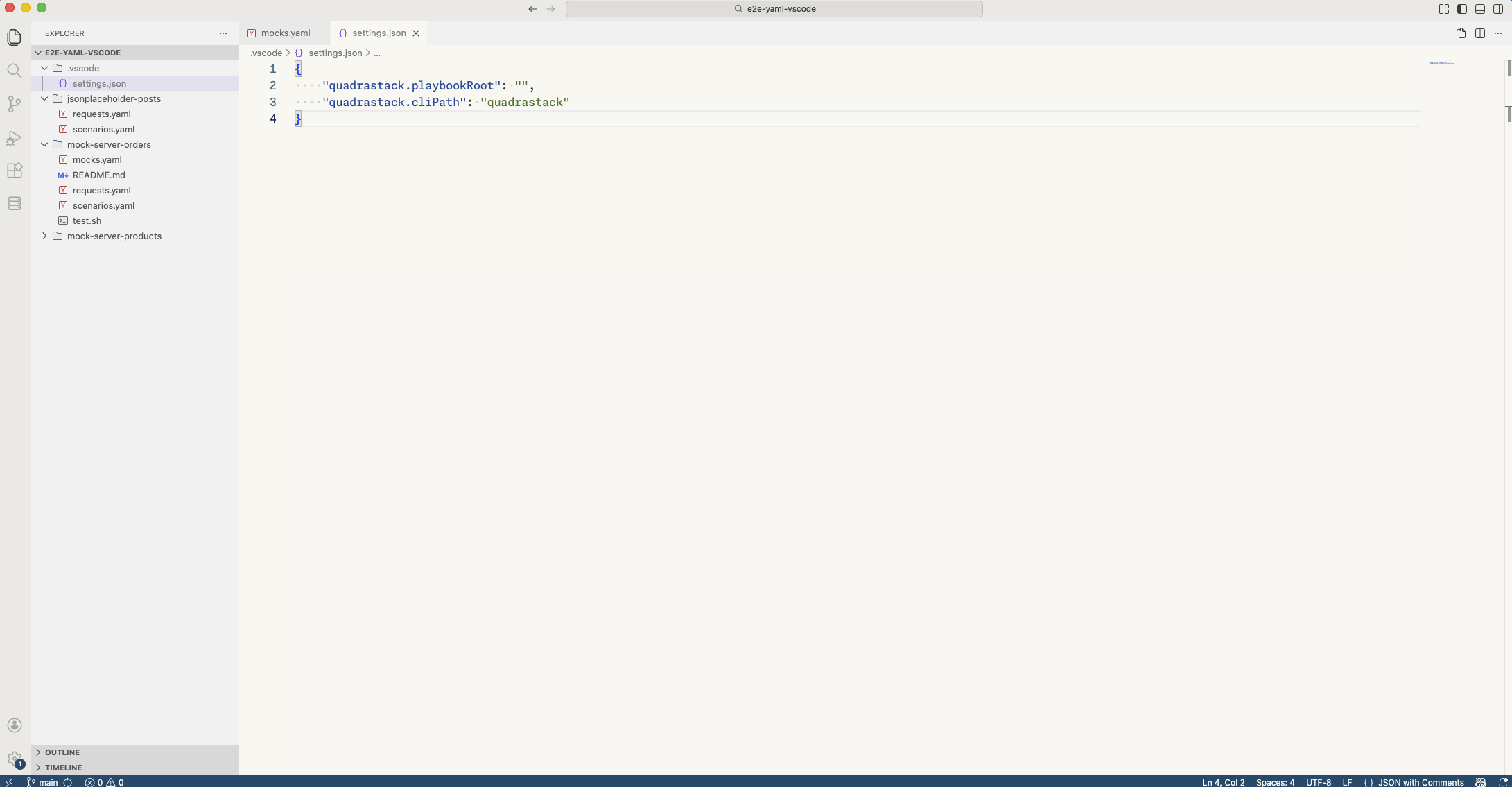
{
  "quadrastack.playbookRoot": "./playbooks",
  "quadrastack.cliPath": "/usr/local/bin/quadrastack"
}
4. Run Your First Request
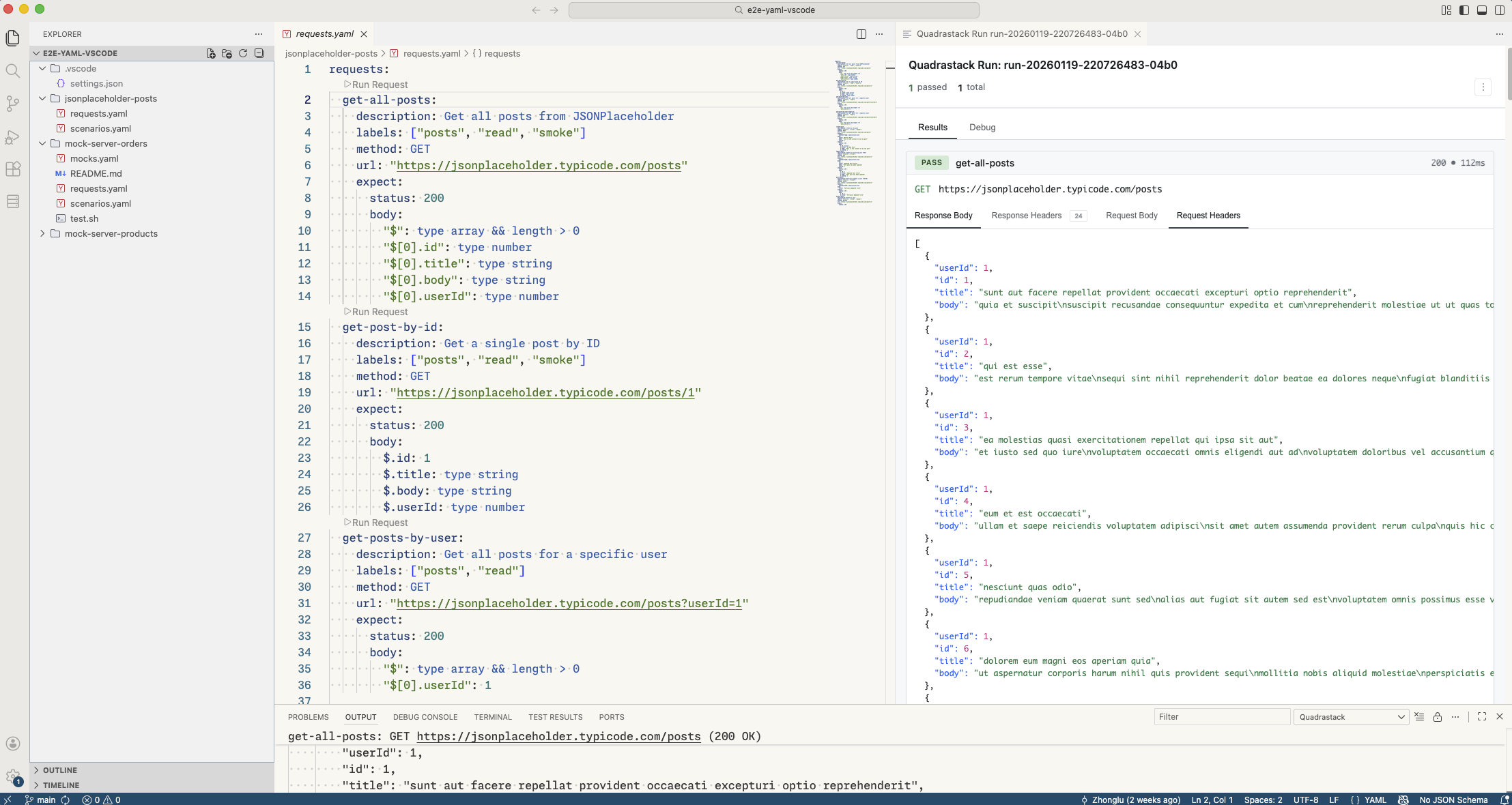
Open a YAML file with requests and click the Run button that appears above each request. Results display in a panel on the right.
What You Can Do
Run Requests from YAML
Click the Run button above any request in your playbook to execute it. The response appears in a dedicated panel showing status, headers, and body.
Run Scenarios
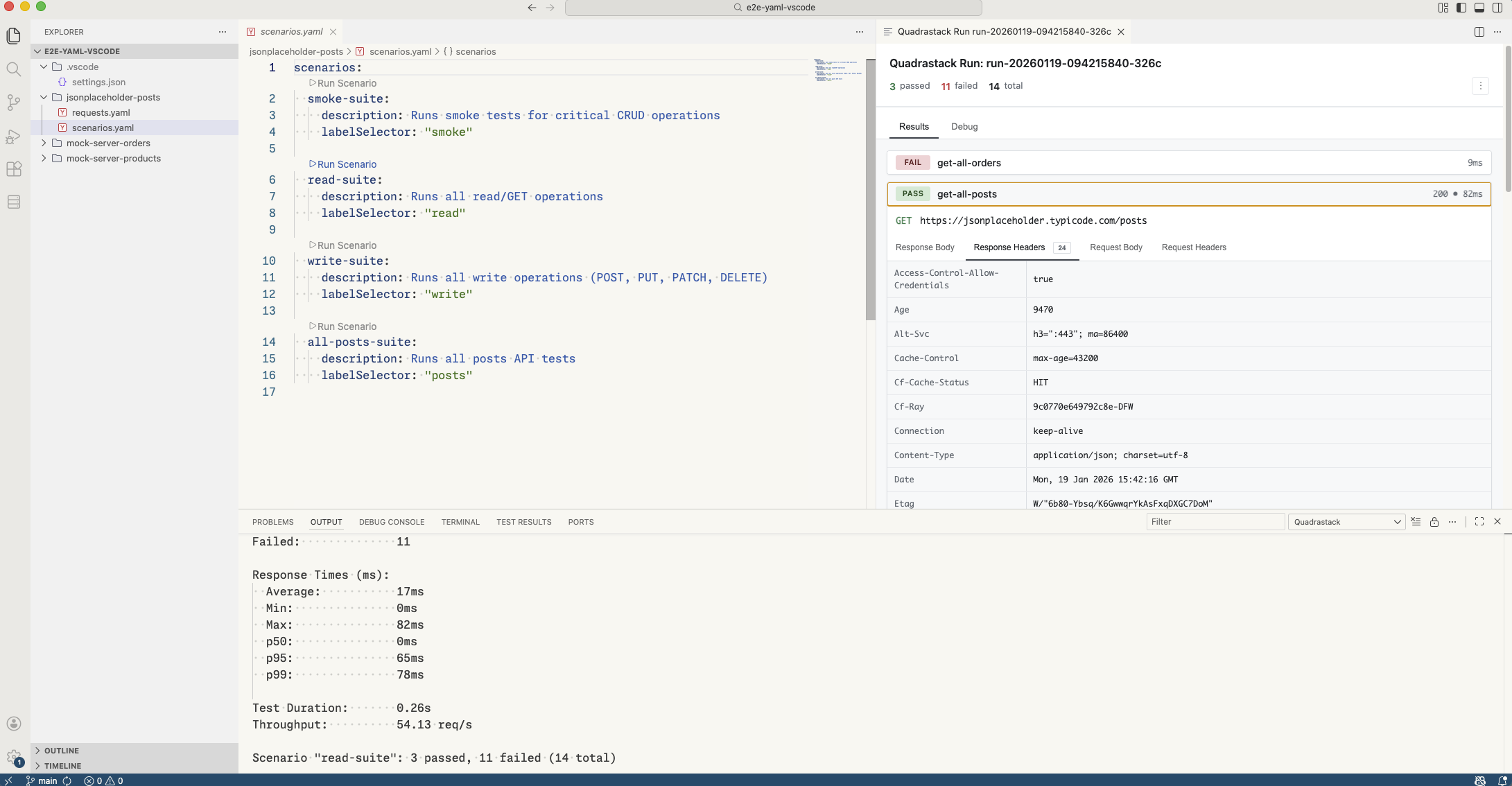
Execute entire test scenarios directly from your scenario YAML files. Results show pass/fail status for each request.
Manage Mock Servers
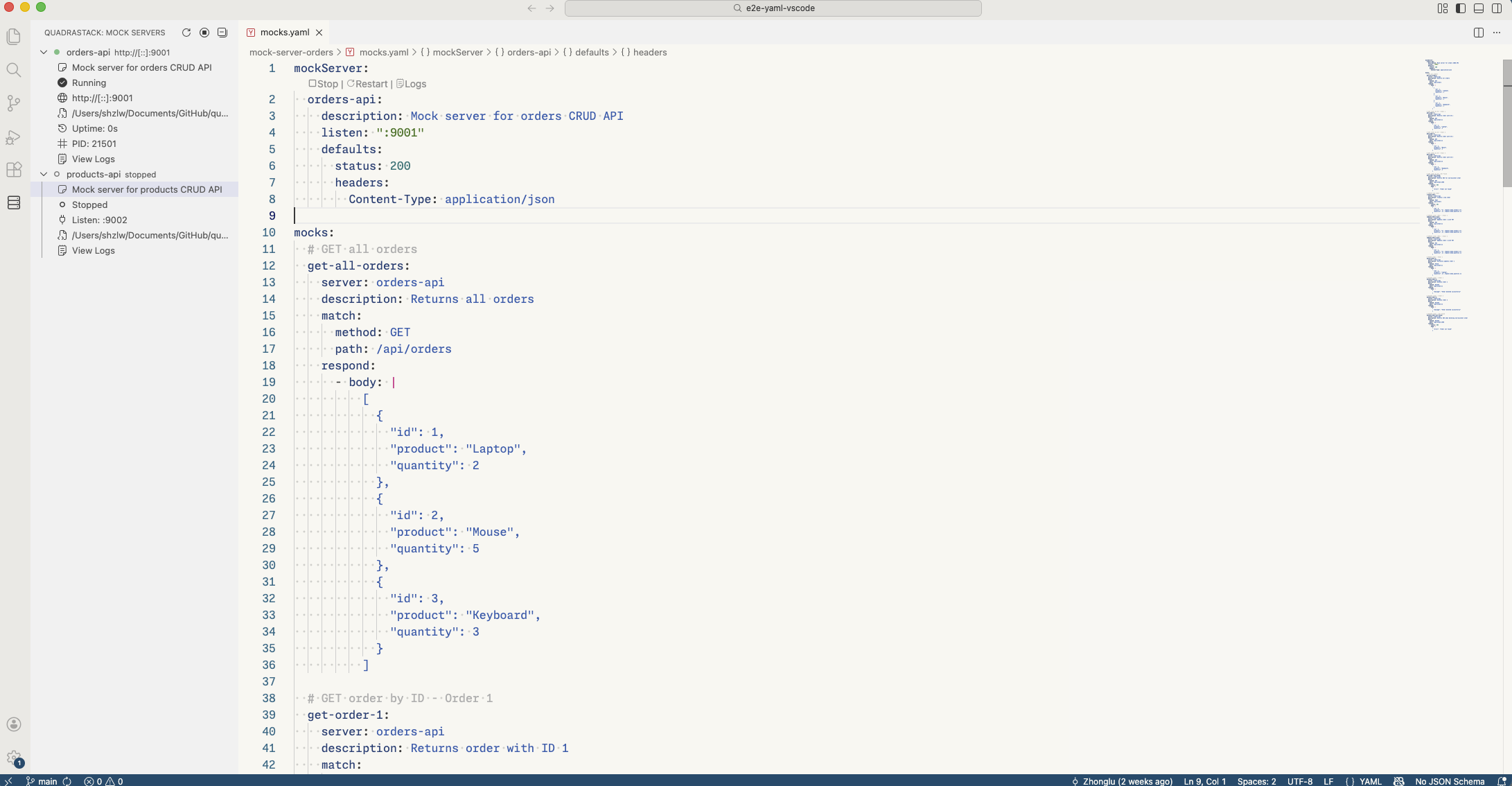
The Mock Servers panel in the sidebar lets you:
- Start and stop mock servers
- View server status (running/stopped)
- Restart servers
- Start/stop servers directly from YAML files
Learn More
- Installation - Detailed installation and configuration
- Features - Complete feature guide with examples
- Playbook Guide - Learn to write playbooks
Requirements
- VS Code 1.70.0 or higher
- Quadrastack CLI - Required for running tests and mock servers
Support
- Issues: GitHub Issues
- Documentation: Full docs